
The desktop cockpit for OpenClaw.
Review artifacts, approvals, fleet health, and session progress — in one native Mac/Windows app.
Your gateways run on your infrastructure.
Available for macOS (Apple Silicon & Intel) and Windows
Keep chat where it is. Control happens in Claw.
Channels run the work. Claw Desktop lets you review, approve, and resume — without losing context.
Review outputs & diffs
See exactly what your agents changed — files, code, and artifacts — in one view.
Approve risky steps with proof
Gate destructive actions behind human review. Export proof bundles for audit.
Resume across chat + desktop
Pick up the same run from Slack, Discord, or Claw Desktop — context stays intact.
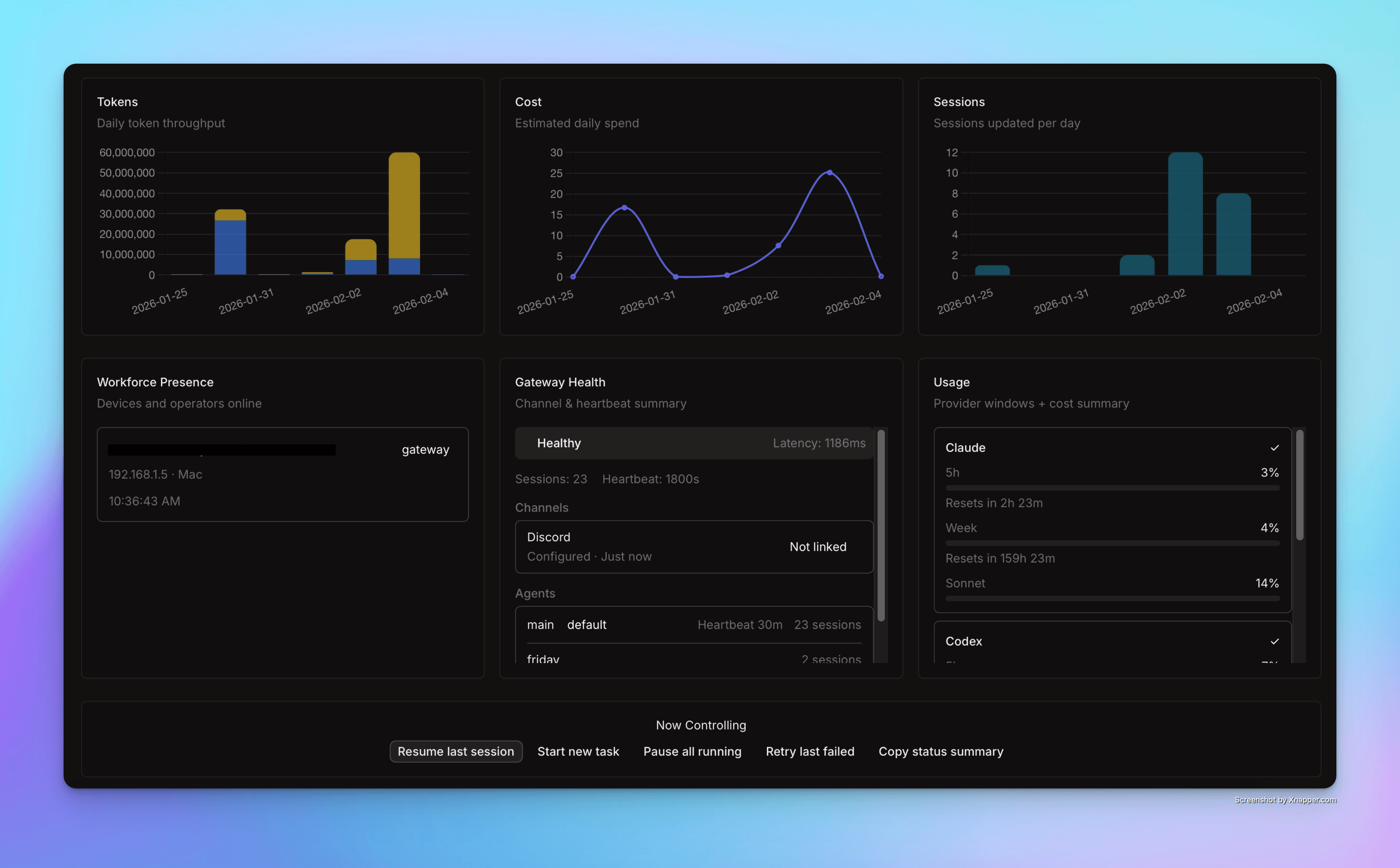
Your AI fleet at a glance
See what changed while you were away
Timeline of every session, commit, and artifact — catch up in seconds.
Approve with proof
Approvals queue + exportable proof bundles for every risky action.
Know fleet health & spend
Gateway status, resource usage, and cost visibility across every agent.
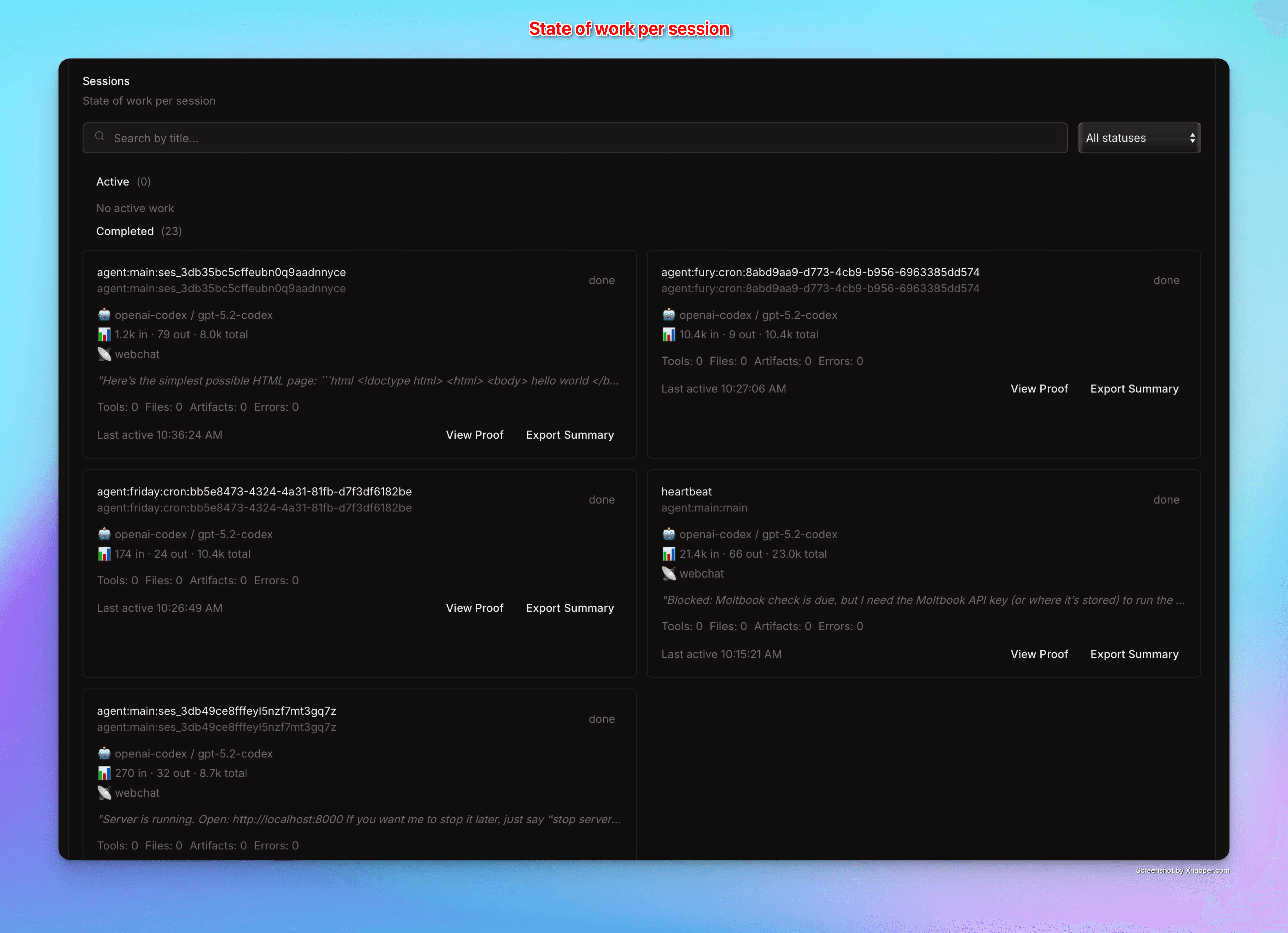
State of Work Per Session
Track every agent session from start to finish. See active work, completed tasks, and get instant access to proof summaries and exports.
- Active & Completed ViewsSwitch between ongoing work and finished sessions
- View Proof & ExportGenerate summaries and export session data in one click
- Session MetadataTags, timestamps, task counts, and artifact links
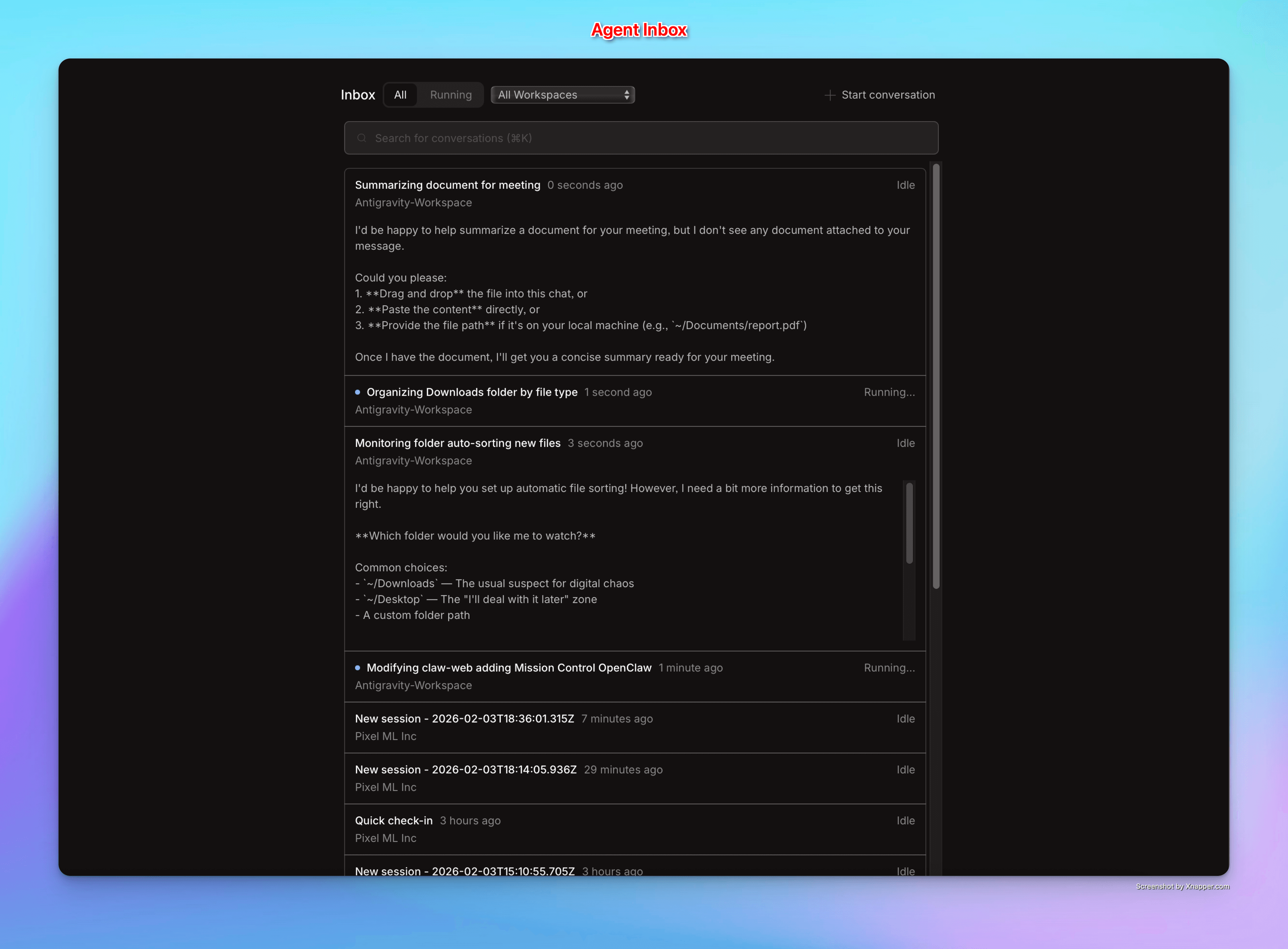
Agent Inbox
A unified inbox for all your AI conversations. Filter by session, search messages, and pick up where you left off — even across different devices.
- Smart FilteringSearch by title, filter by session ID, or browse history
- Organized by SessionMessages grouped by agent run for easy tracing
- Resume AnywhereStarted in Slack? Continue in Desktop. Your run_id stays consistent
Free, Pro, Team, Business
Pick the plan that matches your fleet.
Claw Pro
- Up to 3 devices & gateways
- Full Mission Control · Inbox search
- Email support
Limits are licensing, not lock-in. We don't host your agent computers.
Questions?
A native Mac/Windows app that connects to your OpenClaw gateways. You see sessions, approve risky actions, review artifacts, and export proof — all from one desktop cockpit.
A gateway is the server running your AI agent (VPS, Mac mini, or localhost). A device is a Claw Desktop installation. A seat is a team member login on a shared workspace.
No. Your gateways run on your own infrastructure. Claw Desktop is the control layer — we never see your code, files, or prompts.
Yes. Any machine running an OpenClaw-compatible gateway works — cloud VPS, Mac mini, or local localhost.
Free: 1 device, 1 gateway, basic Mission Control. Pro ($19/mo): up to 3 devices/gateways, advanced timeline, approvals queue, proof export. Team ($49/mo): up to 10 seats, 20 devices/gateways, priority support.